Your AWS Architecture Changed. Would You Know?
Learn a practical way to detect AWS architecture drift, compare resource snapshots, trace changes, and review the ones that actually affect risk.
- AWS
- Architecture
- Cloud Security
- Architecture Drift
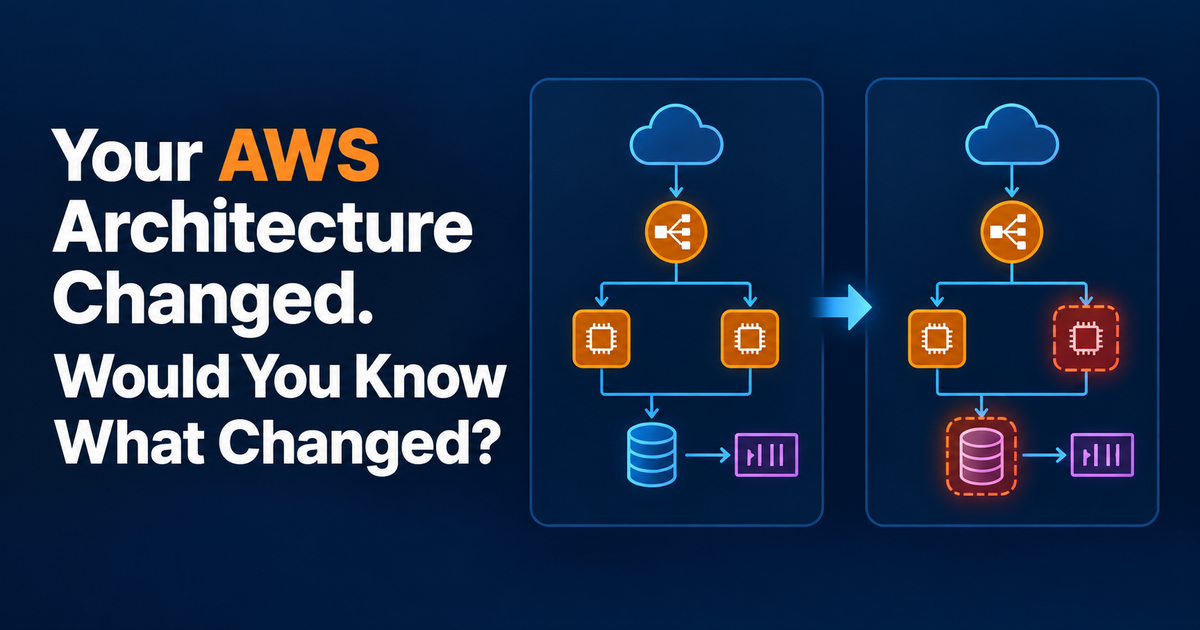
Your AWS Architecture Changed. Would You Know What Changed?
An AWS environment can change without its architecture diagram changing with it. A new public route, a modified security group, a removed dead-letter queue, or a database configuration change may be perfectly intentional—but you still need to know it happened and decide whether it matters.
The useful question is not simply “who changed something?” It is: how is the architecture different from the state we previously understood and accepted?
Change history is not the same as architecture change
AWS CloudTrail records API activity and is useful for answering questions such as who called an API, what action they attempted, and when. Infrastructure-as-code history can tell you what a CloudFormation, CDK, Terraform, or deployment change intended to modify.
Neither, by itself, gives you a clean architectural comparison.
An architecture review cares about effective state: resources, important configuration, relationships, exposure, resilience controls, and other properties that affect how the system behaves. That means you need a baseline of that state and a later snapshot to compare against it.
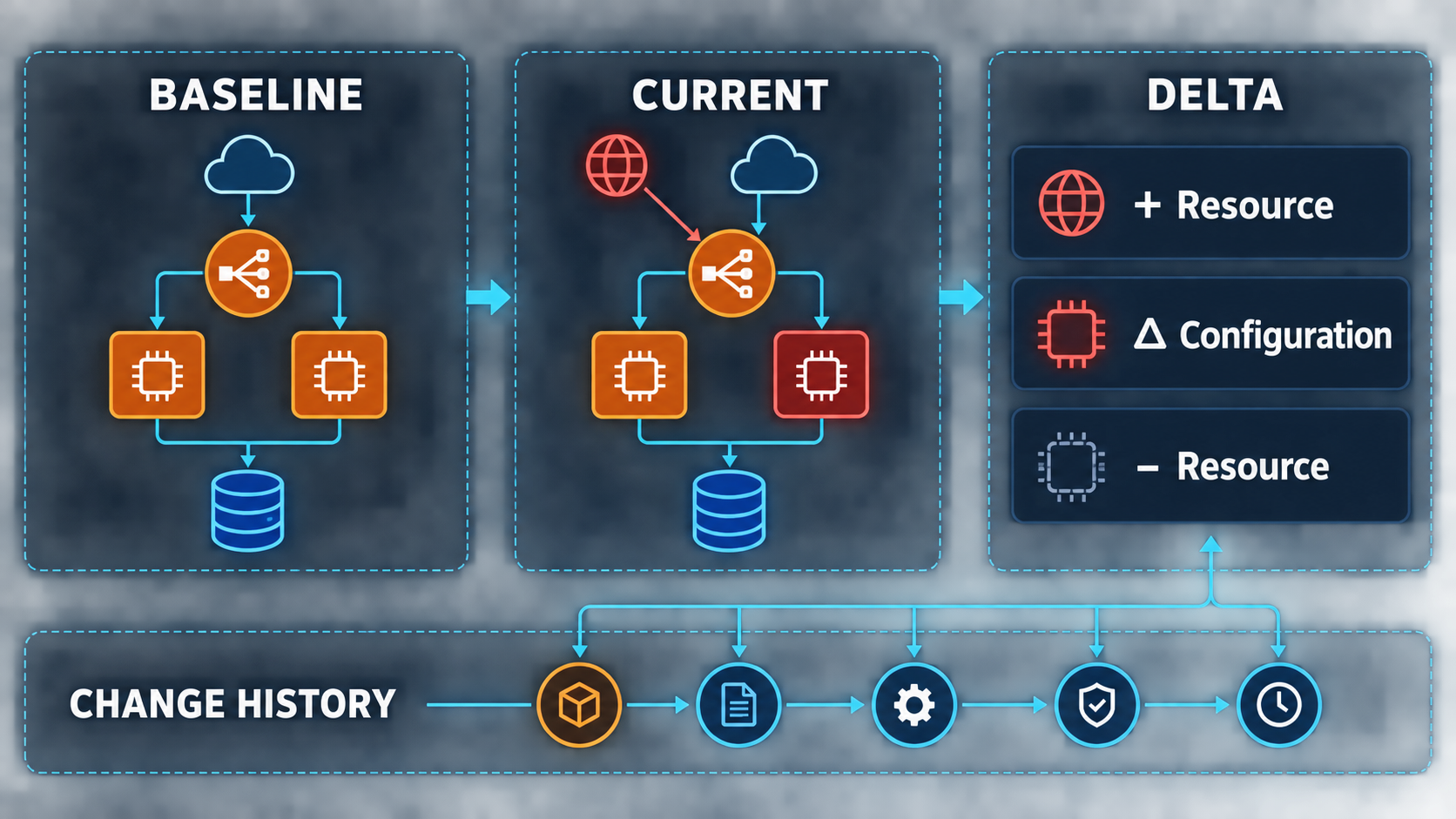
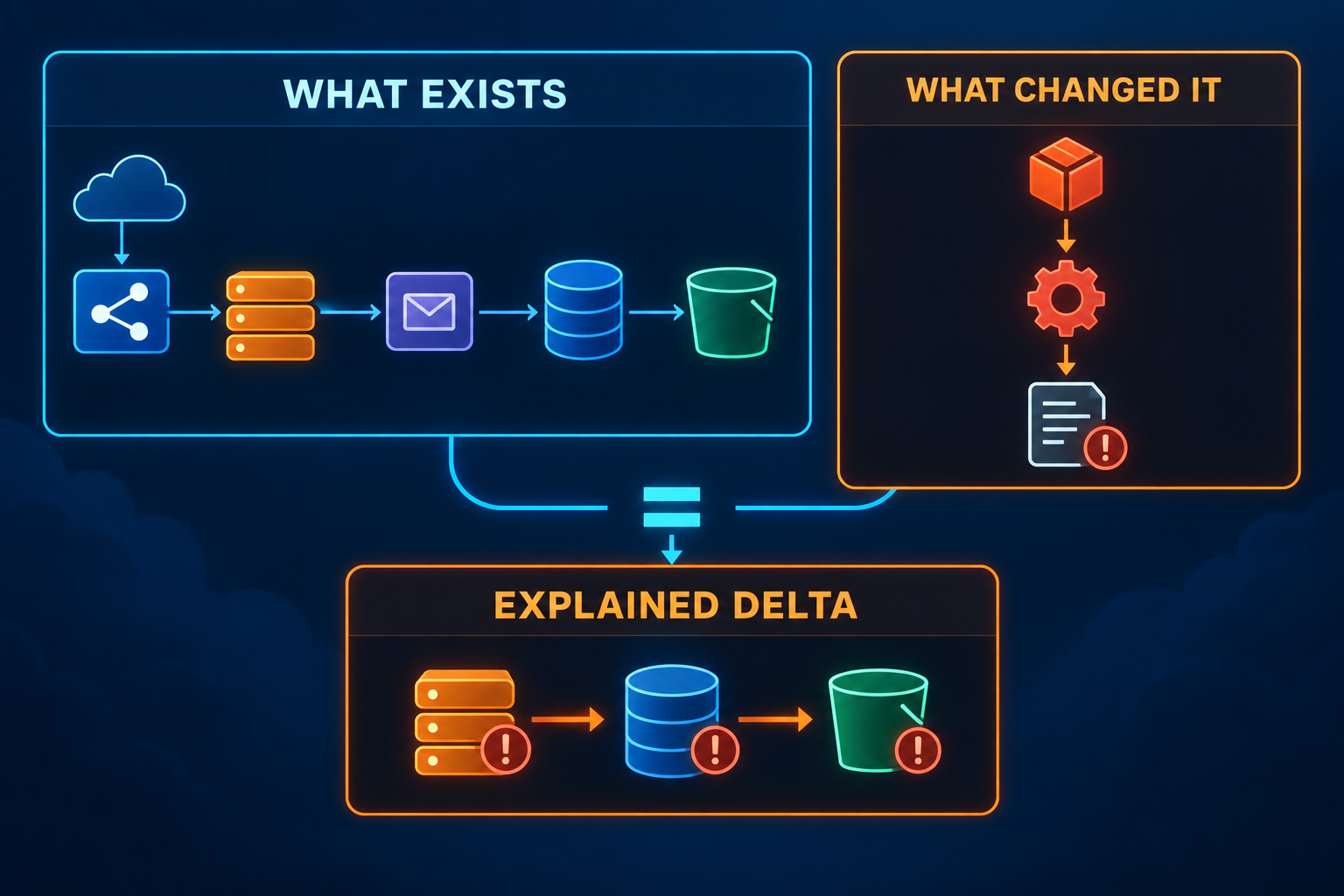
Think of this as two separate jobs:
- Detect the delta: What resources, relationships, and relevant configurations are different?
- Explain the delta: Which deployment, API activity, or operational decision caused the change?
Keeping those jobs separate makes investigations much easier.
A practical architecture-change workflow
You do not need to compare every AWS property. Start with the parts that can materially change security, reliability, availability, cost, or system behavior.
- Capture a known baseline. Inventory supported resources and normalize the configuration fields and relationships you care about. Record when the snapshot was taken.
- Take a fresh snapshot. Use the same discovery process so that the two states are comparable.
- Calculate meaningful differences. Classify additions, removals, configuration changes, and relationship changes. Ignore transient fields such as timestamps unless they matter to the rule being evaluated.
- Evaluate the new state. A delta is not automatically a problem. Run deterministic checks against the current architecture and identify whether the change introduced or resolved a finding.
- Correlate with history. For an interesting delta, use CloudTrail, deployment history, and your change-management records to determine how it happened.
- Accept or remediate. Intentional changes can become the new baseline after review. Unwanted changes go back through the normal engineering process.
This is closer to reviewing a pull-request diff than periodically redrawing an architecture diagram.
Example: a small change with architectural consequences
Suppose Monday's snapshot shows an application behind a load balancer, compute resources in private subnets, a queue with a dead-letter queue (DLQ), and a database that is not publicly reachable.
On Thursday, the next snapshot shows three differences: a compute path is now reachable from the internet, the queue no longer has its DLQ association, and a database setting changed.
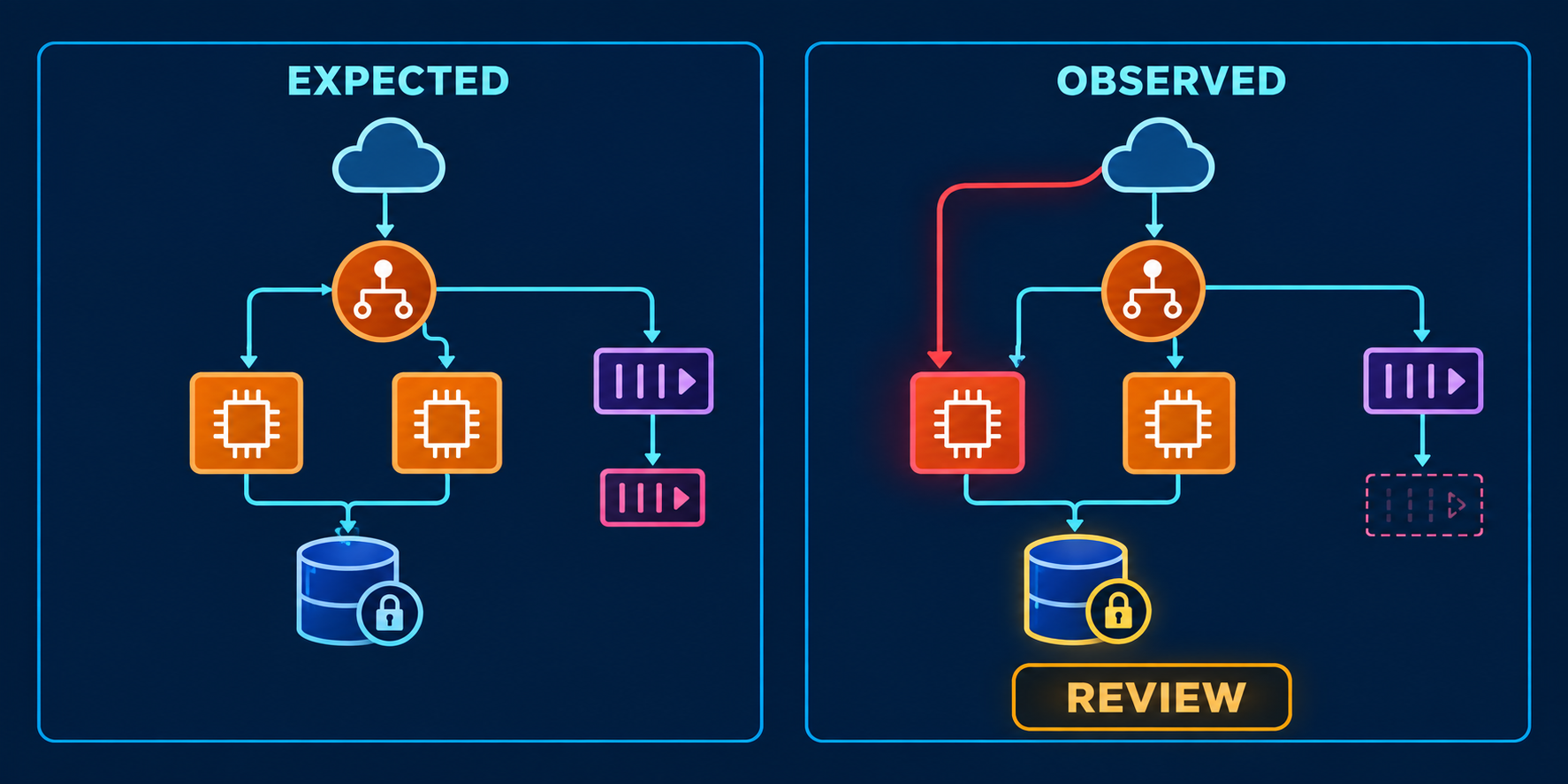
That is enough to trigger review, but not enough to assign blame or even declare every change wrong. The public path may have been temporary troubleshooting, the queue may have been replaced, and the database change may be deliberate.
Now correlate the delta with deployment history and CloudTrail. You can distinguish the observed architecture from the evidence explaining how it got there. If the public exposure violates your architecture rules, the finding remains valid regardless of whether the change was intentional.
What commonly goes wrong
The biggest mistake is treating every configuration difference as equally important. AWS resources contain plenty of operational metadata; an unfiltered diff quickly becomes noise.
The opposite mistake is watching only infrastructure-as-code. Console changes, scripts, service automation, and resources outside a particular stack can make actual state diverge from what the repository suggests.
There is also a storage trade-off. Rich snapshots improve historical comparison and investigation but cost more to retain and require careful handling of potentially sensitive metadata. A practical implementation stores only the fields needed for supported architectural checks and comparisons.
Finally, change detection is not real-time prevention. If a requirement must never be violated, use preventive controls and deployment guardrails. Snapshot comparison is best used to make drift visible and reviewable.
Make architecture state something you can compare
A trustworthy architecture picture should have a date and a repeatable way to reconstruct it. Capture the state, compare it with the previous accepted state, evaluate the delta, then use history to explain important changes.
If you want a current, inspectable view of supported AWS resources and explainable architecture findings, ArchNube.com is built around that problem. Archnube Assess connects through a narrow, customer-controlled read-only IAM role, discovers supported resources, and evaluates them with deterministic rules—without write access to your AWS account or black-box AI judgment.
Related Insights
- AWS
- Architecture
Common AWS Architecture Risks That Are Easy to Miss
A practical AWS architecture review of failure paths, scaling limits, access boundaries, recovery gaps, and cost risks that teams often overlook.
- AWS
- Architecture
AWS Architecture Review Checklist Before Production
A practical AWS architecture review checklist for security, resilience, scaling, observability, recovery, and cost before a workload reaches production.
- AWS
- Architecture
The First 10 Things I Review in an Existing AWS Account
A practical 10-point AWS account review covering identity, networking, resilience, observability, operations, and cost before making changes.